
ZWILLING app discontinued: how to keep using your Fresh & Save containers
Last updated: November 2026
In short: According to the manufacturer, the ZWILLING app will be discontinued on 31 December 2026. Your boxes, bags and jars keep working. Only the overview in the app goes away. Here’s what changes, how to save your data and how to keep track of your food afterwards.
What exactly changes?
According to ZWILLING’s FAQ, from January 2027:
- The app will no longer be available on the App Store or Google Play.
- Your saved containers and their contents will no longer be visible in the app.
- There will be no more reminders when something is about to expire.
- The QR codes and NFC tags on your containers will no longer open the app.
What stays: The vacuum pump, boxes and bags keep working as usual. Fresh & Save will continue to be sold.
Step 1: Save your data now
The ZWILLING app doesn’t offer an export. Before it shuts down, write down what’s in your containers:
- Open the ZWILLING app and go through your containers.
- Take a screenshot of each overview, or note down the contents and the date you stored them.
- The easiest way is right at the freezer: look at each box and write it down.
Step 2: Decide how you’ll keep track from now on
You have three options:
| Option | Pros | Cons |
|---|---|---|
| Paper or a list on the freezer | simple, no tech | quickly gets out of date, no reminders |
| Labelling with a pen or sticker | you see it on the box straight away | no overview of what needs using soon |
| A pantry app that can read your codes | overview, reminders, your codes keep working | needs setting up |

Frischling: your codes keep working
We’re a three-generation household with several freezers. Without an app, at some point we no longer knew what we had frozen. We used the ZWILLING app ourselves. When it became clear it would be discontinued, we couldn’t find a replacement that could read the codes on our boxes. So we built one ourselves: Frischling.
Frischling reads the QR codes and NFC tags on your Fresh & Save containers, including the printed short code. Just keep using your boxes, bags and jars.
Moving over in three steps
- Install Frischling (free, for Android).
- Scan your containers: point the camera at the QR code or hold your phone to the NFC tag.
- Add the contents: say or type what’s inside. Frischling suggests a storage place and an estimated shelf life, with and without vacuum.
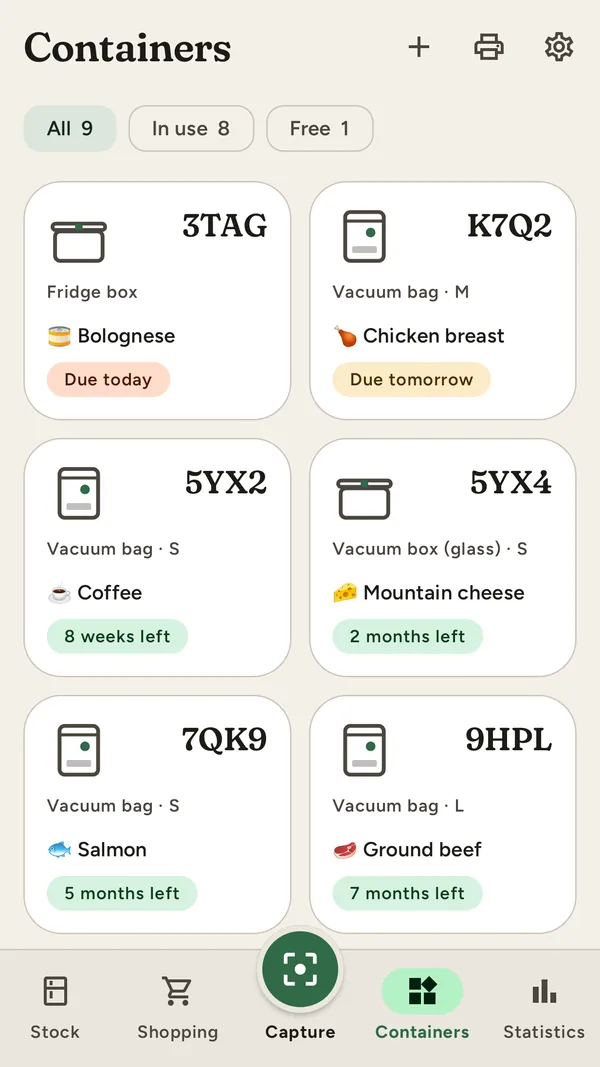
Preview – the final app may look a little different.
What else Frischling can do
- Add everything, not just boxes: scan supermarket barcodes, say or type names. Put your whole shop away in one go.
- “Due soon” shows what should be eaten first, with a daily reminder you can switch off at any time.
- Shopping list with restock suggestions, and you can send it on to Bring!.
- Household: share your stock and shopping list with your family, end-to-end encrypted.
- Your own QR labels to print for all your other containers.
Your data belongs to you
- no account and no sign-up
- no ads and no tracking
- works without the internet
iPhone? Frischling is coming to Android first. An iPhone version is planned. You’ll find news right here on this page.